

zambiel
Portable Inkjet Printer
SPECIFICATIONS
Brand Name: Y-han
Certification: CE
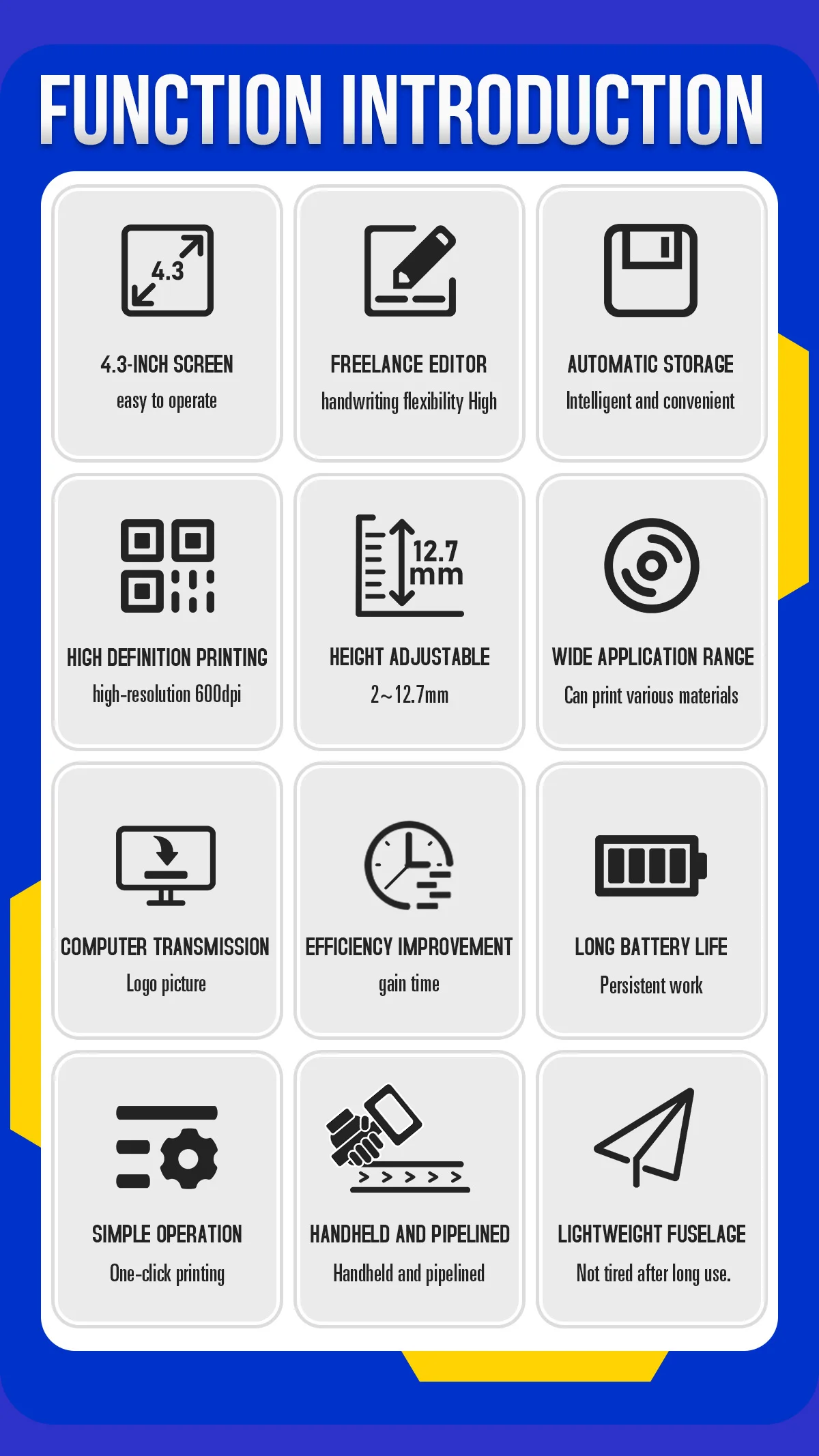
Display: 4.3 inch touching screen
Double-sided Printing: No
Hign-concerned Chemical: None
Interface Type: USB
Max Paper Size: A4
Max. Resolution: 600*600dpi
Origin: Mainland China
Paper Feed Mode: Manual
Print Speed: 28ppm
Signal Connection Type: None
Supports Network Printing: No
Type: Inkjet Printer
Voltage: 220-240V
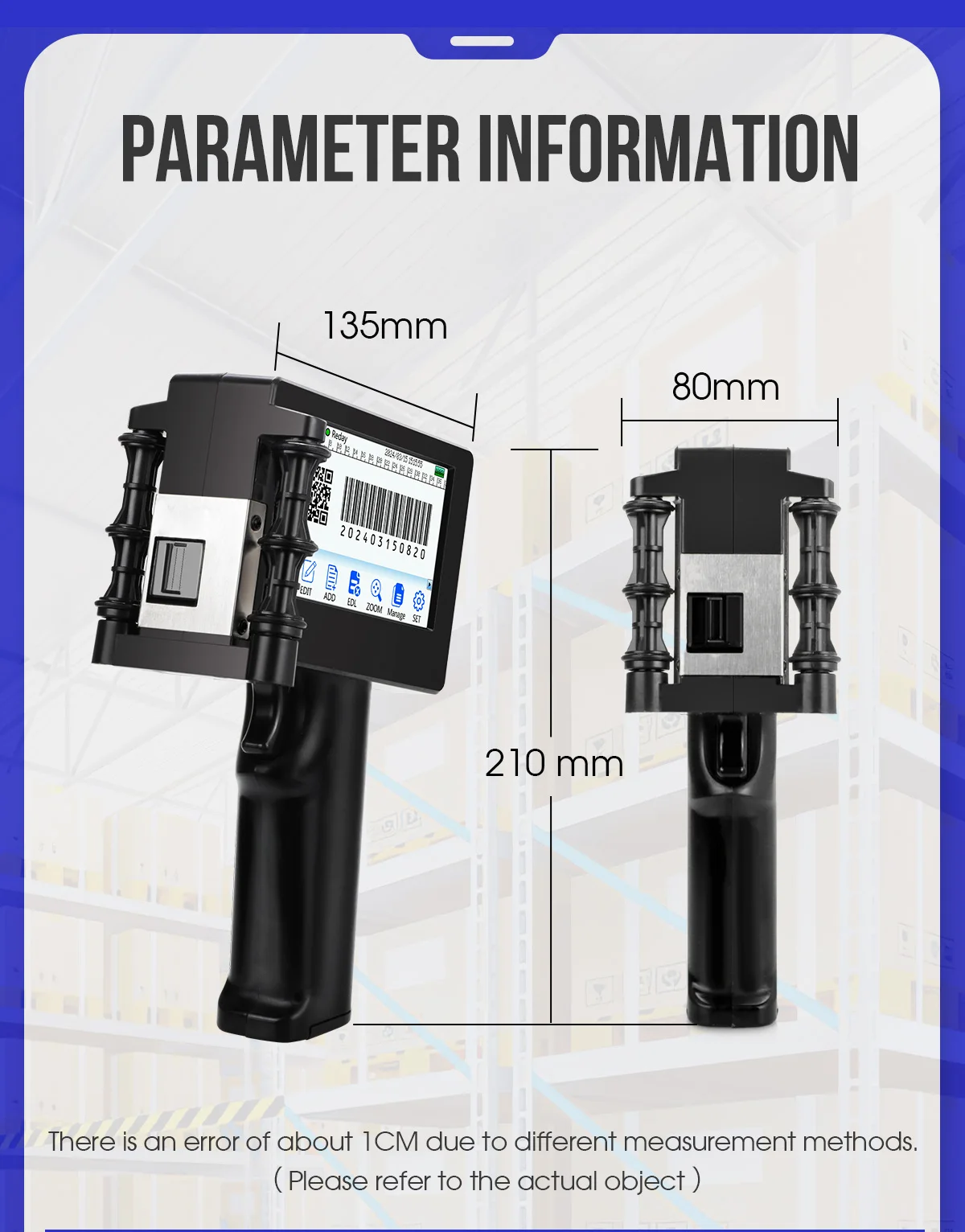
Weight: about 400g(excluding the cartridge)
cartridge capacity: 42ml
cartridge color: white/black/red/yellow/blue/green
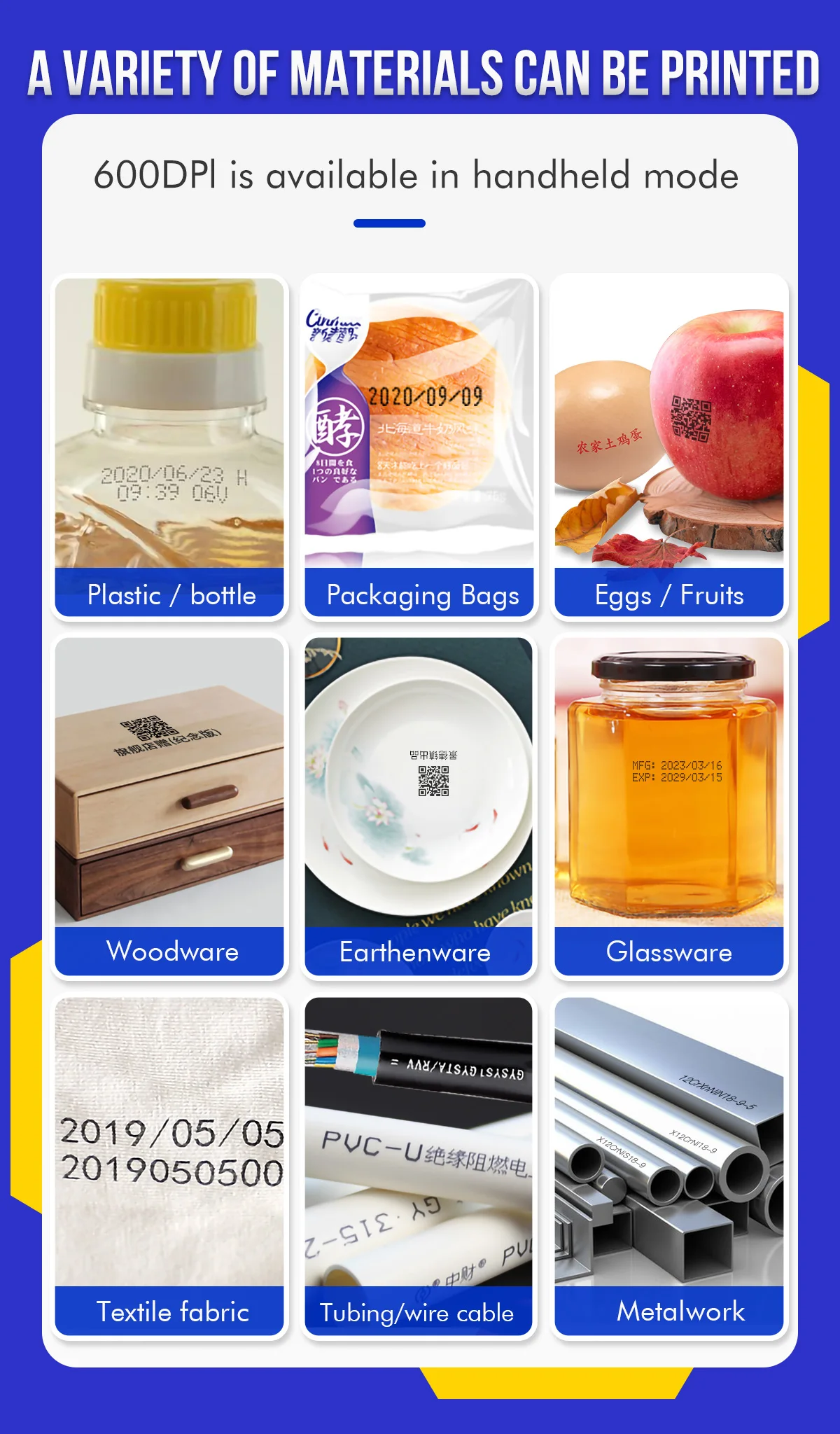
cloth printer: glass printer
handheld printer: steel printer
mental printer: Barcode printer
paper box printer: plastic box printer
portable printer: mobile printer
printing height: 3-12.7mm
size: 135mm*80mm*210mm






Q&A(Questions You Concern Most)
1.How to better extend the life of the printer?
A:Before installing and removing ink cartridges, be sure to turn off the printer.
2.How to better protect the ink cartridge nozzle?
A:
①When not using ink cartridges, please close the protective cover in time.
②Dip a soft paper towel with a small amount of alcohol before using, and then gently wipe the nozzle in one direction.
3.Why does the printer screen not work?
A: When you find that the screen of the printer is not working, please calibrate the screen of the printer.
4.Can the printer print on the bottle?
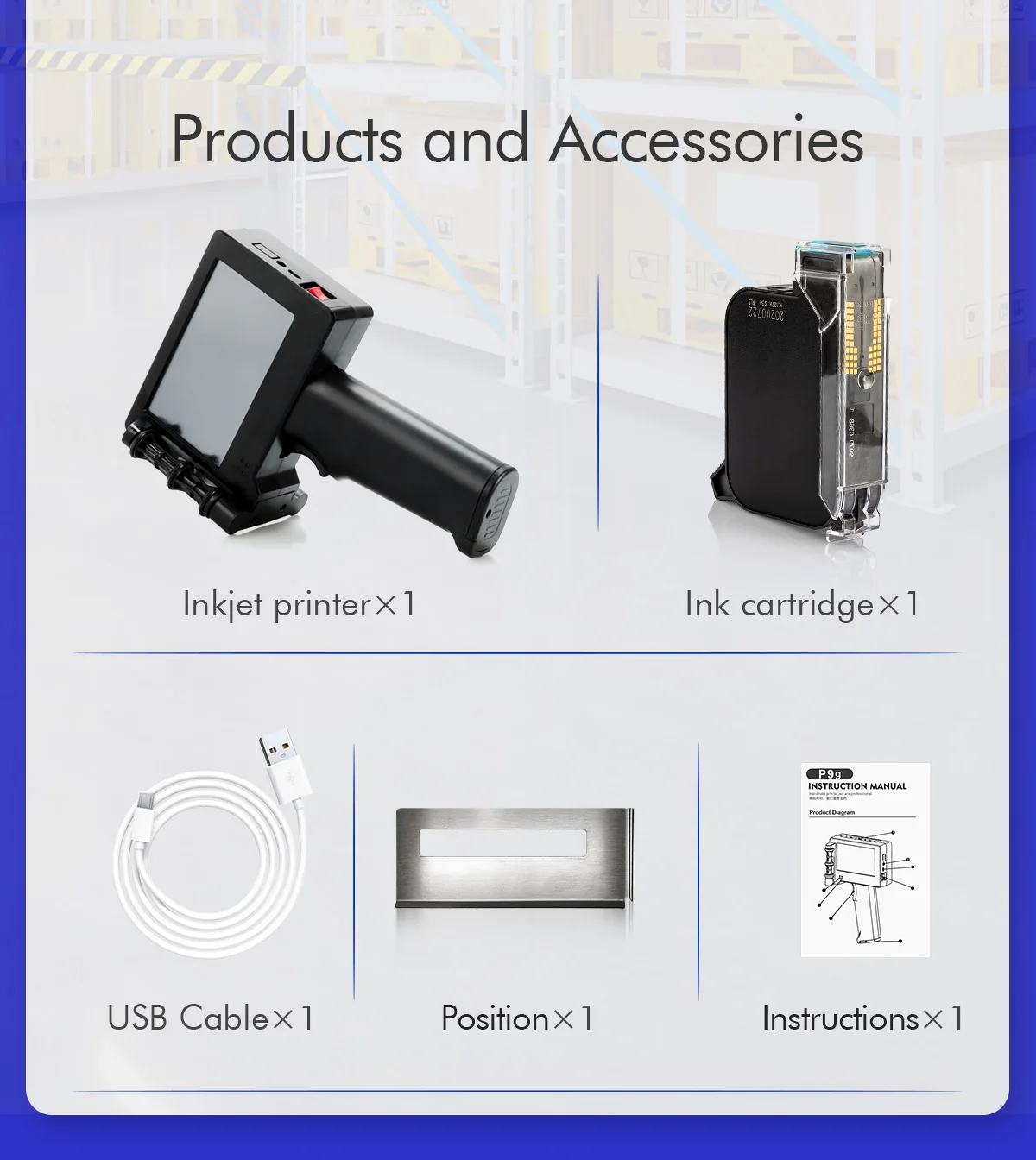
A: Yes, we will provide you with a positioning plate for free. Please consult customer service for specific steps.
5.What should I do if the printer cannot print?
A:
①Check whether the rubber ring on the left side of the printer is off (not in the groove).
②Check if there the ink cartridge is installed properly.
③Switch the nozzle of the printer in the settings.
④After turning off the printer, reinstall the ink cartridge.
⑤If you have completed all the above operations and the machine still cannot operate normally, please contact customer service in time.
6.The printer can work, but the printing effect is not clear, what should I do?
A:
①Check whether the ink cartridge nozzle is clean and dry, and wipe the nozzle carefully with a clean soft tissue.
②Take out the ink cartridge when the printer is off, shake the cartridge several times, and stick a clean tissue on the
surface of the nozzle to divert the ink.(Ask customer service for operation videos)
③Switch the nozzle of the printer in the settings.
④If you have completed all the above operations and the machine still cannot operate normally, please contact customer service in time.
7.What should I do when there is a printer phenomenon of wire drawing?
A:
①The ink cartridge is quick-drying. When there is a phenomenon of wire drawing, please wipe the nozzle carefully with a clean soft tissue and switch the nozzle of the printer.
②When not using the ink cartridge, please install the cover in time
8.Can the printer be charged?
A: Yes.
①Please use our special charger to charge the printer.
②When the printer is stored for a long time and not in use, it is recommended to safely charge and discharge it every three months.
Portable Inkjet Printer
Estimated delivery between September 21 and September 23.
SPECIFICATIONS
Brand Name: Y-han
Certification: CE
Display: 4.3 inch touching screen
Double-sided Printing: No
Hign-concerned Chemical: None
Interface Type: USB
Max Paper Size: A4
Max. Resolution: 600*600dpi
Origin: Mainland China
Paper Feed Mode: Manual
Print Speed: 28ppm
Signal Connection Type: None
Supports Network Printing: No
Type: Inkjet Printer
Voltage: 220-240V
Weight: about 400g(excluding the cartridge)
cartridge capacity: 42ml
cartridge color: white/black/red/yellow/blue/green
cloth printer: glass printer
handheld printer: steel printer
mental printer: Barcode printer
paper box printer: plastic box printer
portable printer: mobile printer
printing height: 3-12.7mm
size: 135mm*80mm*210mm
Q&A(Questions You Concern Most)
1.How to better extend the life of the printer?
A:Before installing and removing ink cartridges, be sure to turn off the printer.
2.How to better protect the ink cartridge nozzle?
A:
①When not using ink cartridges, please close the protective cover in time.
②Dip a soft paper towel with a small amount of alcohol before using, and then gently wipe the nozzle in one direction.
3.Why does the printer screen not work?
A: When you find that the screen of the printer is not working, please calibrate the screen of the printer.
4.Can the printer print on the bottle?
A: Yes, we will provide you with a positioning plate for free. Please consult customer service for specific steps.
5.What should I do if the printer cannot print?
A:
①Check whether the rubber ring on the left side of the printer is off (not in the groove).
②Check if there the ink cartridge is installed properly.
③Switch the nozzle of the printer in the settings.
④After turning off the printer, reinstall the ink cartridge.
⑤If you have completed all the above operations and the machine still cannot operate normally, please contact customer service in time.
6.The printer can work, but the printing effect is not clear, what should I do?
A:
①Check whether the ink cartridge nozzle is clean and dry, and wipe the nozzle carefully with a clean soft tissue.
②Take out the ink cartridge when the printer is off, shake the cartridge several times, and stick a clean tissue on the
surface of the nozzle to divert the ink.(Ask customer service for operation videos)
③Switch the nozzle of the printer in the settings.
④If you have completed all the above operations and the machine still cannot operate normally, please contact customer service in time.
7.What should I do when there is a printer phenomenon of wire drawing?
A:
①The ink cartridge is quick-drying. When there is a phenomenon of wire drawing, please wipe the nozzle carefully with a clean soft tissue and switch the nozzle of the printer.
②When not using the ink cartridge, please install the cover in time
8.Can the printer be charged?
A: Yes.
①Please use our special charger to charge the printer.
②When the printer is stored for a long time and not in use, it is recommended to safely charge and discharge it every three months.

Recently viewed products
Why Choose Zambiel !
New Sellers


